Last week, I was in Newcastle attending the Access: Given conference. I had a really good day. I’m not new to accessibility and inclusion, but I still learned a few things and it’s always great to be with like-minded people.
It’s just one day and single track, so you don’t need to pick your talks, you can see them all. It was a good mix too, some lightning talks of 10min, some longer ones and a panel discussion. The venue is small compared to other conferences I’ve attended before, but this meant you were not overwelmed by the amount of people, movement and noise during the day.
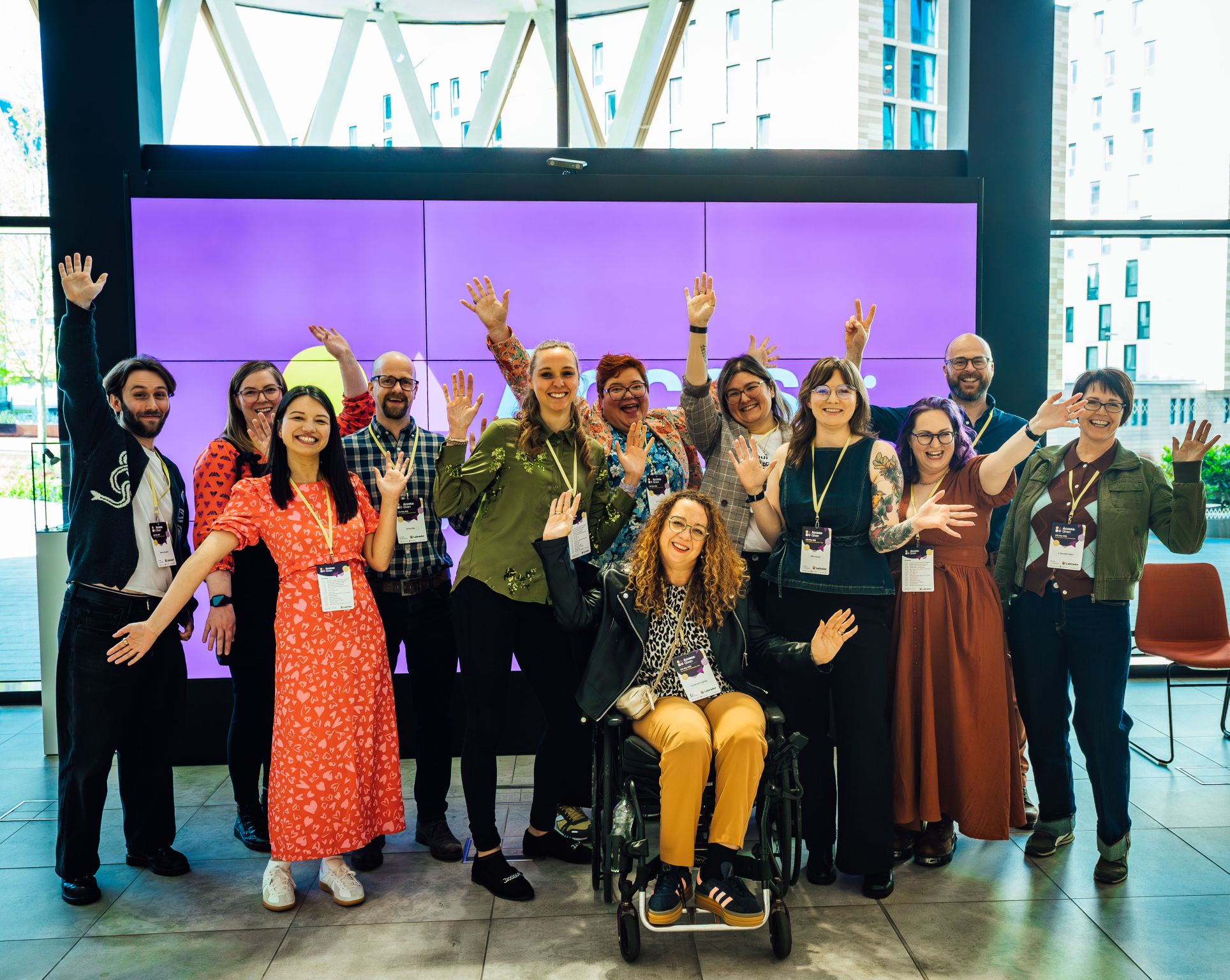
It was an opportunity for me to work at the office to meet some colleagues the previous day and to catch up with more people during the conference itself, like Jen Thomson, Jane McFadyen, Lizzie Cass-Maran and meeting new ones like Martin Underhill or Lisa Riemers.
I’m pretty sure it was also the first time my work was paying for a conference for me, which is one of the advantages of being a permanent that I enjoy now.
Some learnings
They will share the videos of this year and last year’s talks at some point. It will be well worth a watch. In the meantime, I’m sharing some of my learnings here.
Edit 30/06/2026: You can now watch the videos of the talks on YouTube
Recruitment for research participants
Jane MacFadyen talked about ‘Designing for people who have dyscalculia or low numeracy’. You can learn more in the Accessibility posters part of the DWP accessibility manual. I had heard her speak before; it was excellent. But this time around, one thing she mentioned stayed with me: people might not realise they are dyscalculic, so when you are recruiting research participants, don’t ask if people have dyscalculia. Instead, ask for ‘people who struggle with numbers”.
During another talk, the speaker mentioned her father who would not identify as disabled, even though he was using hearing aids. So, it’s best to frame it as the difficulty the people might experience, instead of the name of the condition or the term ‘disabled’.
Alternative text for pictures
Martin Underhill’s talk was really good too and funny as well. It was about “Going beyond components and building accessible experiences”. I like that he was laughing at his own jokes, and quoting himself – I missed taking the photo of ‘quote by me’ 😉 . It was very practical and really well delivered.
One of his points was not to include a description of your picture in the caption for it. A caption can be read by anyone and is under the picture for it. This is usually the place to provide context, or to credit the photograph for example which is useful to everyone.
An ‘Alt text’, or ‘Alternative text’, is a description of the picture itself which will be read by screen readers, or which will be displayed on screen if the network is poor and your picture can’t load. Otherwise, you would not be aware of it. It’s good practice to create one if your picture is important. If it’s just for decoration and not important, you leave the alt text empty, and the image is ignored by a screen reader, even though in that case, I would question why you even need a picture.
This raised a question in the audience about a new practice which is not adding an alt text and instead describing the image in the body of the text. You might have seen this in LinkedIn posts. This is also what was suggested in this GOV.UK blog post: Alternative text in action.
The reason for it is that the description becomes available to everyone. For example, people with low vision who do not use a screen reader but magnify their screen instead, or people who have visual processing disorders
Like everything in accessibility, there is often no perfect solution. Yes, it might be better in these scenarios, but you break a well-established convention for screen reader users, and you add more text and clutter for people who can see the image and end up receiving the same information twice in different format which has a cognitive impact.
If you want to learn more about alt texts, this resource was shared during another talk: Alt-texts: the ultimate guide, by Axess lab. I often also share this one by Craig Abbot – How to write good alt text for screen readers
Martin has a newsletter I’ve been enjoying for a while: tempertemper.
‘Fully accessible’
Carrie-Ann Lightley was the keynote speaker and it was a really good talk again. She spoke about her experience as a disabled travel writer. I remember reading her blog post about this long ago: Why terms like ‘fully accessible’ don’t help disabled people but it was great to hear it from her, using a lot of examples and explaining how you can do better, providing details which will allow people to make decisions.
Some feedback I gave them
Adding your pronouns
It would be great to have an option to add your pronouns to your name on the badge. Many conferences do this. It helps normalising providing the pronouns you want people to use for you. They did have a space to say if you were ok with hugs and handshakes on your badge. You can learn more about why pronouns matter.
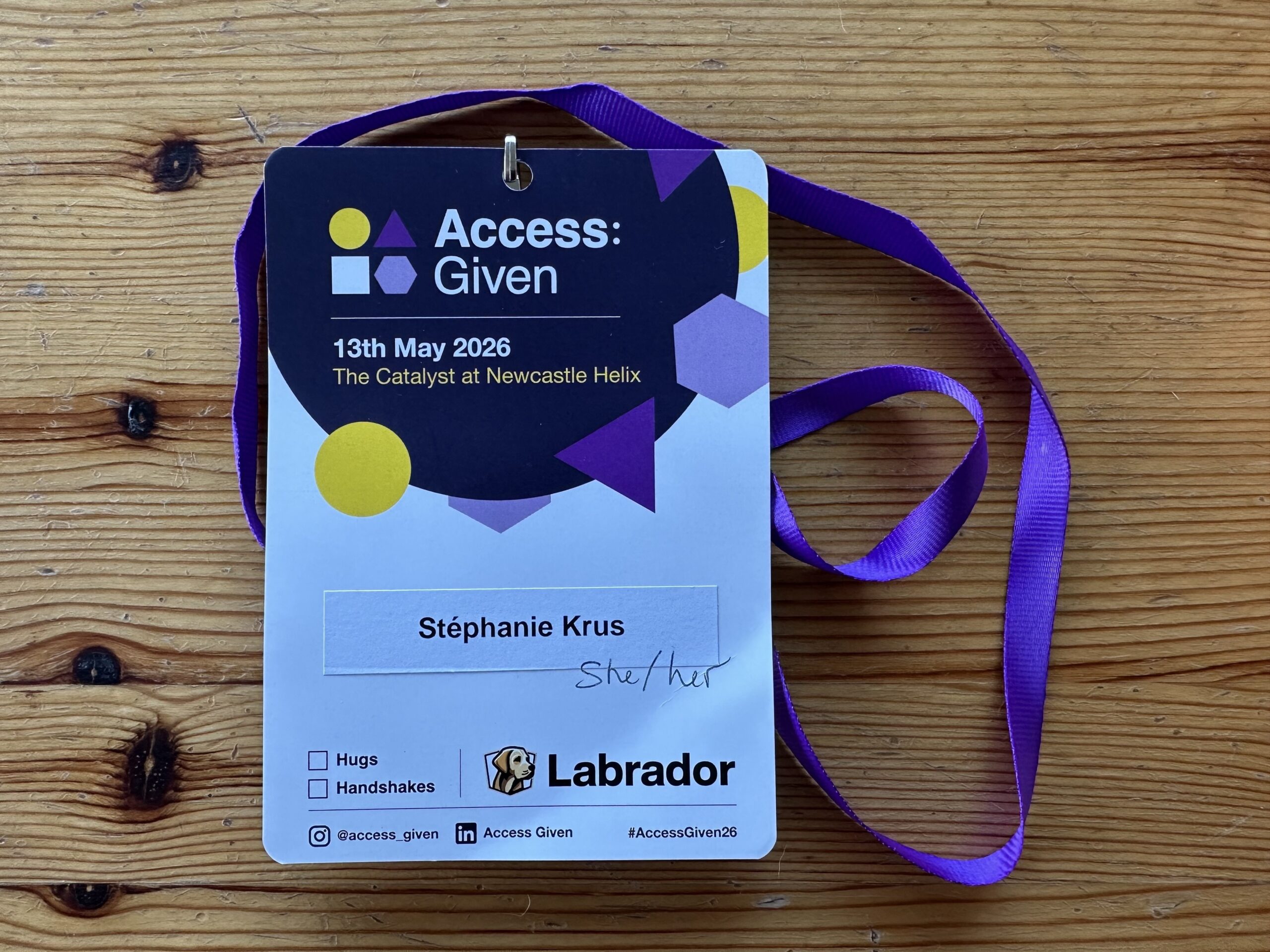
Adding a photo of the building
I had the address, but until I got there, I wasn’t sure it was the right building when I was checking directions online. Adding a photo of the entrance of the building provides reassurance that you are at the right place. I do the same for colleagues when they visit an office they are not familiar with for example.
Great to have space for notes in the programme
Small thing but really nice to have a few pages at the end of the programme to take notes. I feel I always have too many things to carry at in-person conference so this was very useful.
Next Conference
Next month, I’ll speak about accessibility and inclusion at UX Scotland: Practical steps towards a more inclusive practice. It was nice to see most of the points I’ll be covering mentioned by various speakers of Access Given during the day, I must be on the right tracks 😉
You can find my slides in various formats on this page. I will also enjoy more talks and meeting many people so looking forward to it. It will be closer to home as it’s in Edinburgh.
Another write-up of the conference you might want to read
Reflecting on Access Given 2026: Designing for inclusion in practice (by the Service Design Academy)